
Projects and Audio
Add, Analyze, Prepare, and Normalize Audio
Bring source audio into a playlist, check it, and prepare it for consistent live playback.
Add source files to the playlist, analyze them, prepare the media when needed, then choose normalization intentionally. Verify the prepared result before show day.
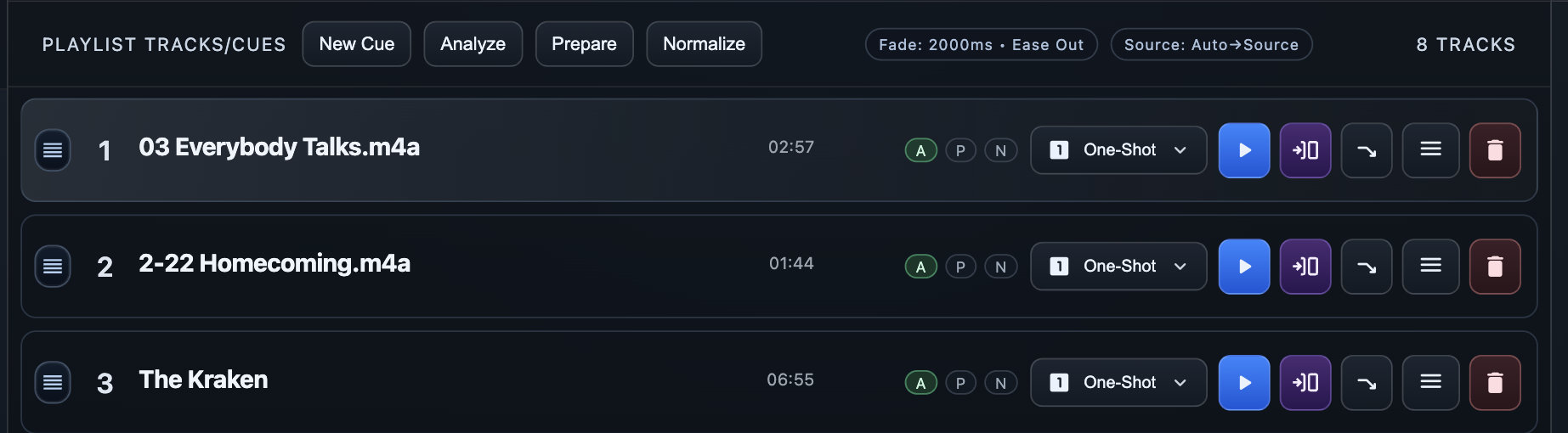
Add source audio
Devant imports WAV, MP3, M4A, AIFF/AIF, and FLAC source audio. Keep the original files available with the project throughout the event lifecycle; Devant uses them for source playback, re-preparation, and recovery when media must be rebuilt.
- Select the target playlist in the project sidebar.
- Select Import Tracks, or open the File menu and select Import Tracks....
- Choose the source audio files and confirm the import.
- Review the track titles and order before editing metadata or playback behavior.
Result: The imported files appear as track rows in the active playlist.
Prepare and normalize intentionally
Preparation and normalization are separate checks. Use preparation to create the media Devant needs for reliable playback. Use normalization only after reviewing the intended loudness behavior for the production.
- Select Analyze to read source-media properties and readiness information.
- Select Prepare to create playback-ready media for tracks that need it.
- Select Normalize only when the production calls for loudness-adjusted playback, then review the mode and target before selecting Run Normalize.
Result: The track status indicators show the available analyzed, prepared, and normalized media states.
Show-day verification
- Confirm prepared media is available for each required track.
- Review normalization mode and output selection.
- Play representative tracks through the actual event sound path.