
Playback
Recital Mode
Run the live show through a focused control surface designed to reduce accidental complexity.
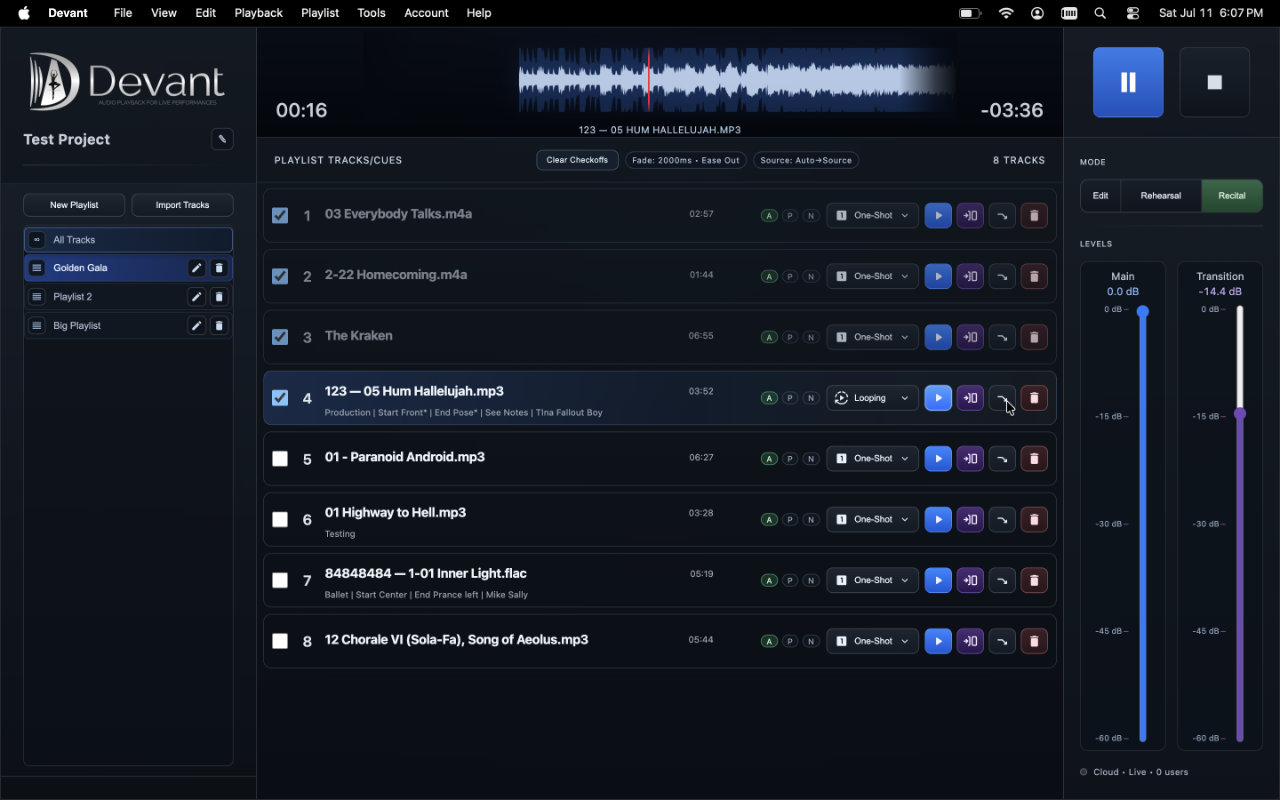
Recital mode prioritizes live playback, clear current and next context, and intentional track behavior. Run Recital Readiness for the active playlist, resolve or acknowledge warnings deliberately, then make editing changes only when the show workflow is paused.
Run Recital Readiness
Recital Readiness checks the active playlist only. Run it after selecting the show playlist and again whenever you make a meaningful pre-show change.
- Open the Playlist menu and select Recital Readiness.
- Select Run Check. Devant reviews the selected playlist, import analysis, prepared playback media, source format compatibility, and available duration metadata.
- Resolve items with the provided Analyze or Prepare actions where available, then run the check again.
- Complete the operator checklist for performance order, start and end markers, output monitoring, and the fallback playback path.
- If a warning must remain, enter your initials, add a brief note when helpful, and acknowledge the warning before continuing.
Result: The readiness state is saved for the project so the booth team can review the current report before entering Recital mode.
Enter Recital mode
- Select Recital in the mode control.
- When the readiness review opens, select Run Check if the displayed report is not current.
- Review the report and checklist, then select Continue when the active playlist is ready for live operation.
- Confirm the current and next tracks with the booth team before starting playback.
Result: Recital mode opens with the live-focused controls and the selected playlist's checkoff state.
Choose how tracks check off
Checkoffs provide an at-a-glance record of playlist progress. They can help confirm what has run, support a handoff, or make it easier to resume after an interruption. They do not control audio playback or replace the operator's own tracking process.
In Tools > Settings > General > Audio Behavior, choose how audio tracks are marked as completed in Recital mode. This changes tracking only; it does not change playback audio.
- Check On Start Marks an audio track as completed when normal playback begins. This is the default for a fast-moving show.
- Check On Finish Marks an audio track only after it finishes. Use it when the completed state should reflect a full play-through.
- No Auto-Check Leaves checkoffs under manual control. Use it only when the operator has a clear alternate tracking process.
Resume or reset after leaving Recital
When you return to the same playlist after recital progress has been recorded, Devant can ask whether to continue the previous recital. Choose Continue to keep the existing checkoffs, Reset to clear them for a new run, or Cancel to remain out of Recital mode. This decision does not start, stop, or otherwise alter audio playback.
During the show
Use the live controls deliberately. If a substantial correction is needed, pause the show workflow and return to the appropriate preparation step rather than improvising a new pattern in the booth.