
Backstage Viewer
Use the Local Offline Viewer
Run a same-network backstage view when the venue internet connection is limited or unreliable.
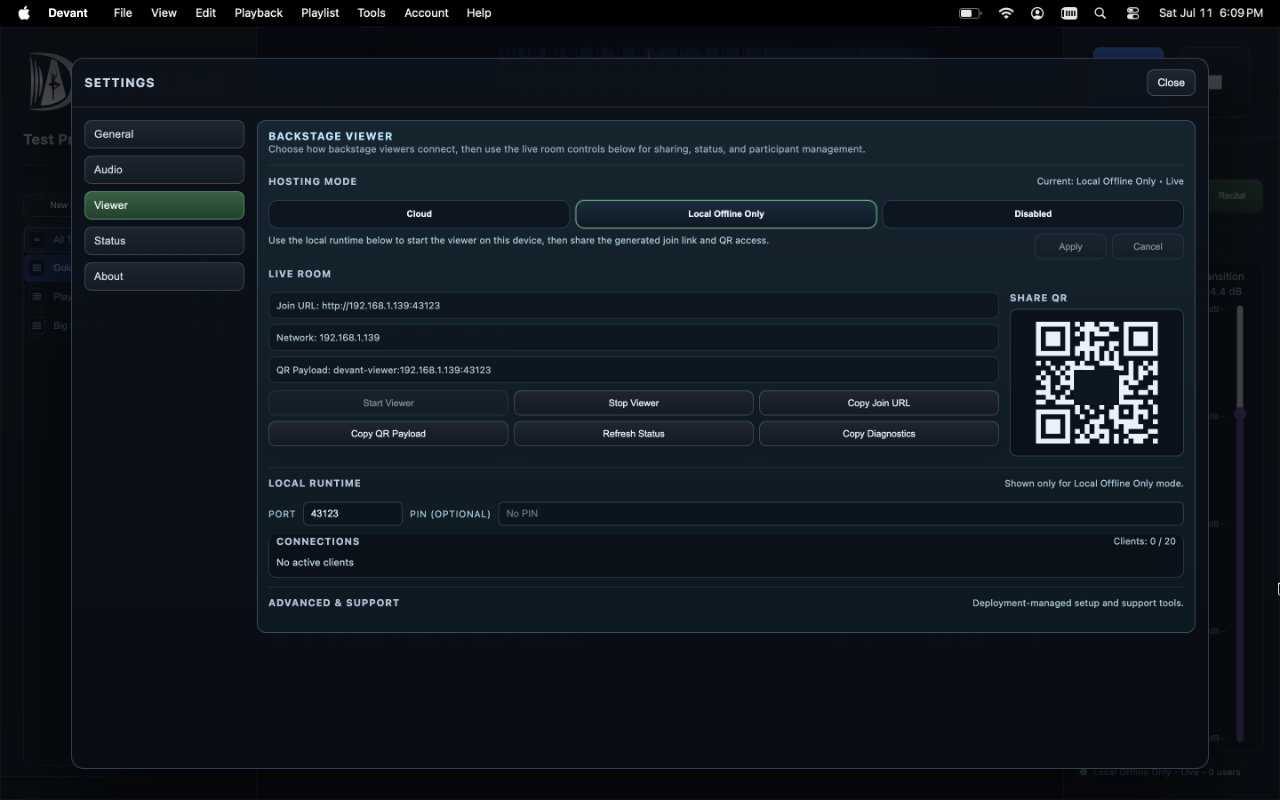
Choose Local Offline Only when the operator device and backstage devices share a reliable local network. Share the local join information only within that network.
When to use local offline hosting
Use local hosting as the intentional fallback for venues where internet access is unavailable or too unstable for the cloud room. It is not automatic failover.
Local setup checklist
- Connect the operator computer and viewer devices to the intended local network.
- Open Tools > Settings > Backstage Viewer.
- Under Hosting Mode, select Local Offline Only, then select Apply.
- Enter a value in PIN (optional) before starting the room when local viewer access should be protected.
- Select Start Viewer and share the local join URL, plus the PIN when configured, with viewer devices on the same network.
- Join from one viewer device and confirm that the current and next tracks update.
Result: The local viewer is reachable by devices on the same network without using the cloud room.