
Playback
Use Playback Controls and Levels
Start, pause, stop, transition, or fade a track while keeping the intended playback level clear.
Use normal Play with the Main level for standard playback. Use Transition with the Transition level when that distinct level is intentional. The main transport pauses or resumes, while Stop ends playback and returns to the appropriate start point.
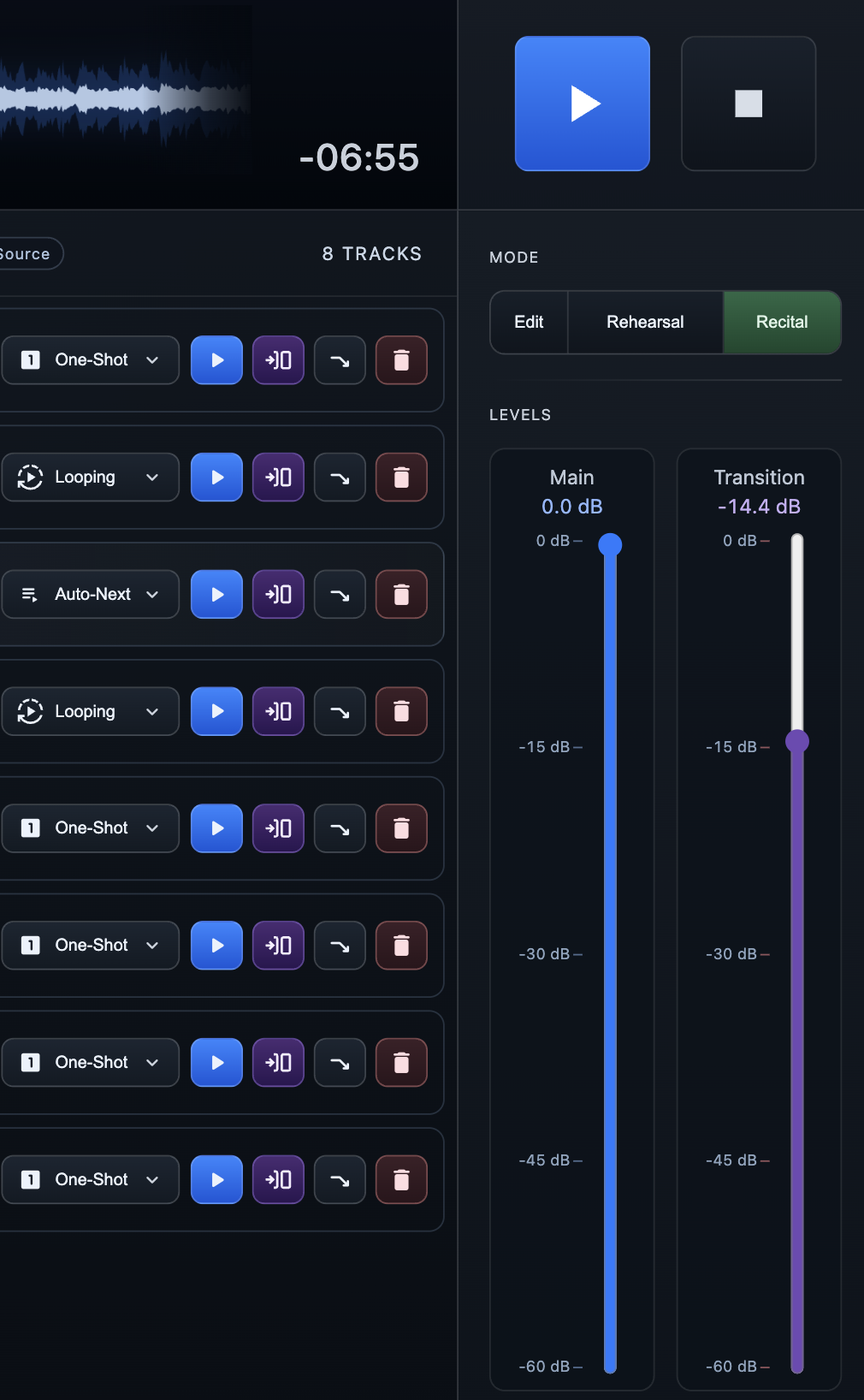
Choose the playback path
Each audio track row includes direct controls. The blue Play button and purple Transition button both start that row, but each uses a different level fader. These actions are available in Edit and Recital; Rehearsal keeps its controls focused on normal playback and checkpoints.
- Play Starts the track as normal playback using the Main level. Use this for the usual performance path.
- Transition Starts the track as transition playback using the independent Transition level. Use it only when the lower or alternate transition level is intentional for that track.
- Fade Out Fades the active track to silence using the configured duration and curve, then stops playback. In Edit mode, the faded track returns to Track Top when the fade completes.
Set the right level before playback
The Main fader controls normal playback from the blue Play actions and main transport. The Transition fader controls purple Transition playback. Their dB labels show the current levels, so set and verify both during sound check rather than compensating during a live cue.
Use the main transport
- Play / Pause / Resume The large primary button starts the selected track with normal playback when stopped, pauses while audio is playing or fading, and resumes a paused track from its current position.
- Stop Stops playback immediately. In Edit and Recital, Stop returns the active track to Track Top. In Rehearsal, the first Stop returns to the most recently used checkpoint; press Stop again without another playback or waveform action to return to Track Top.
Before a live event
- Confirm the Main and Transition levels through the actual event audio path.
- Test any track that will use Transition or Fade Out before doors open.
- Confirm the fade duration and curve suit the production before relying on Fade Out.
- Review the per-track end behavior separately for One-Shot, Auto-Next, and Looping.