
Account and Support
Troubleshooting and Support
Use practical checks first, then export a support package that gives the team useful diagnostic context.
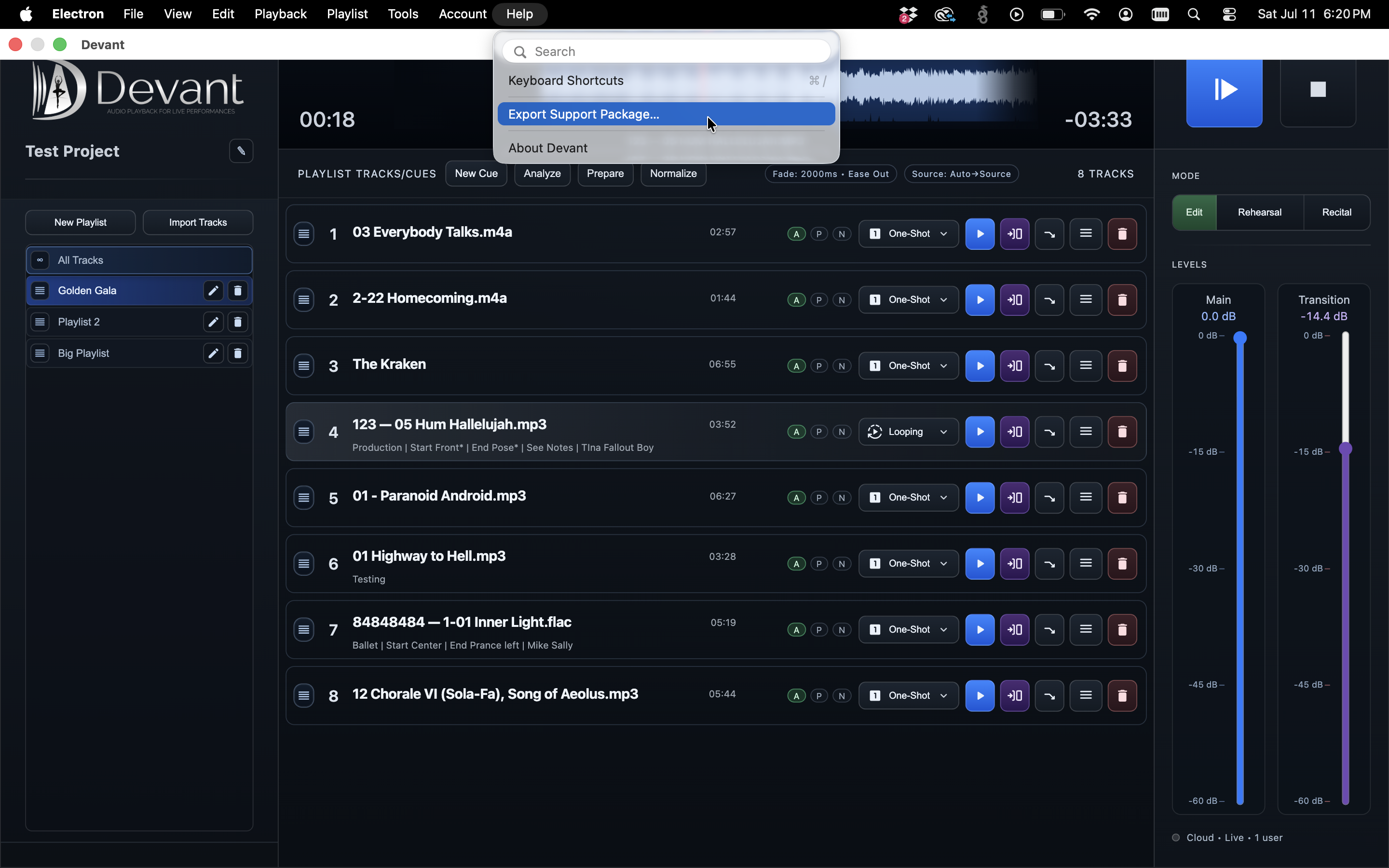
Start with the project, audio path, and output checks. If the issue remains, export a support package and include what happened, when it happened, and what you expected instead.
First checks
- Confirm the correct project and playlist are open.
- Confirm the audio output device and volume path.
- Review whether the affected track is prepared and available.
- Try a known-good track to isolate the issue.
Send useful support context
- Open the Help menu and select Export Support Package....
- Choose a save location for the support archive.
- Write down the approximate time and the action that triggered the issue.
- Include the project and affected track name without attaching copyrighted source media unless asked.
Result: The saved support archive is ready to attach to the support request.