Invite-only Alpha for recital teams

Run recitals with less stress.

Devant brings local-first playback control and clear backstage visibility into one operator workspace, so your team can focus on performances instead of logistics.

Alpha invitations are reviewed individually. Installer links are sent directly to invited participants.

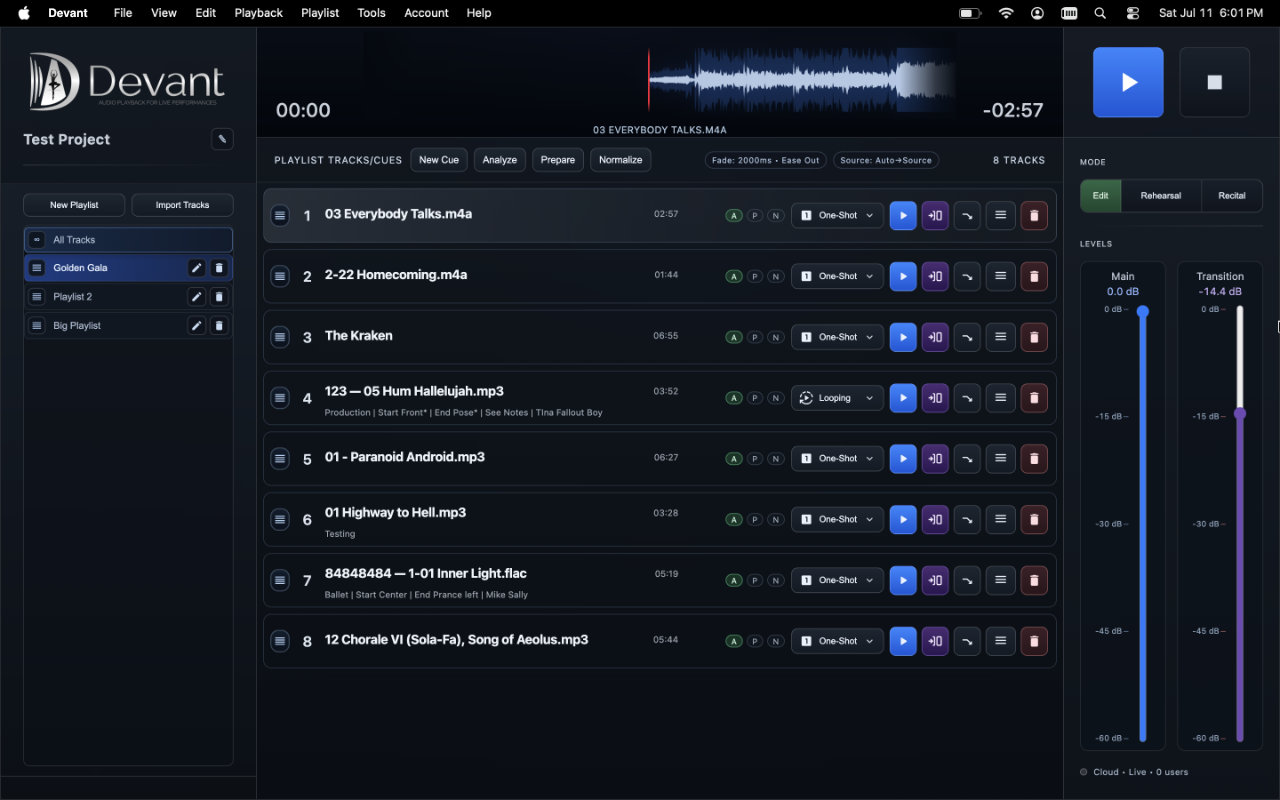
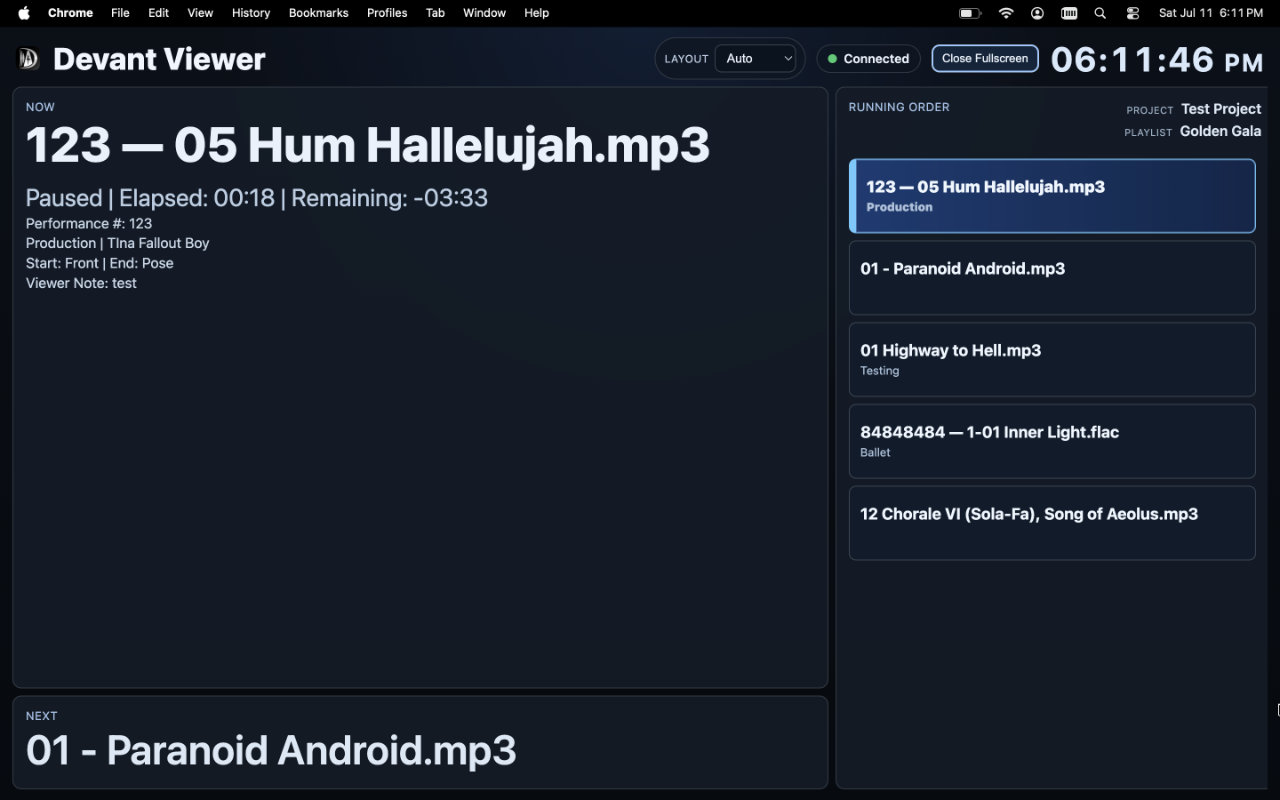
Devant operator workspace with Edit, Rehearsal, and Recital modes, a running order, waveform, and track controls Devant Viewer signage display showing the current routine, next routine, clock, and running order

"When I press play, does it start exactly when expected?"

"Will track behavior match what I set at the end of each routine?"

"Can backstage stay in sync without interrupting the booth?"

Why Devant

A practical upgrade from patched-together playback

Playback flow designed for recital timing, not generic music listening
One workspace for order, cue notes, and behavior control per routine
Local-first playback for venues with unreliable internet
Backstage visibility without handing out booth controls
Cleaner transitions with fewer last-second surprises
Lower stress for operators running the full show stack

Recital Workflow

From file scramble to show-day calm

1. Build the running order

Create playlists, add cue notes, and lock in a clear run flow before show time.

2. Check and prepare before doors open

Run readiness checks early so booth operators are not discovering issues in front of families.

3. Run with recital-safe controls

Use one-shot by default, with auto-next, loop, and transition replay only where your show needs them.

4. Keep staff and chaperones aligned

Share read-only now and next information through the cloud when internet is available, or on the local show network when it is not.

Prepare before doors open

Know what is ready before the audience arrives.

Build the running order, review track behavior, and prepare source media in the same workspace you will use at the show.
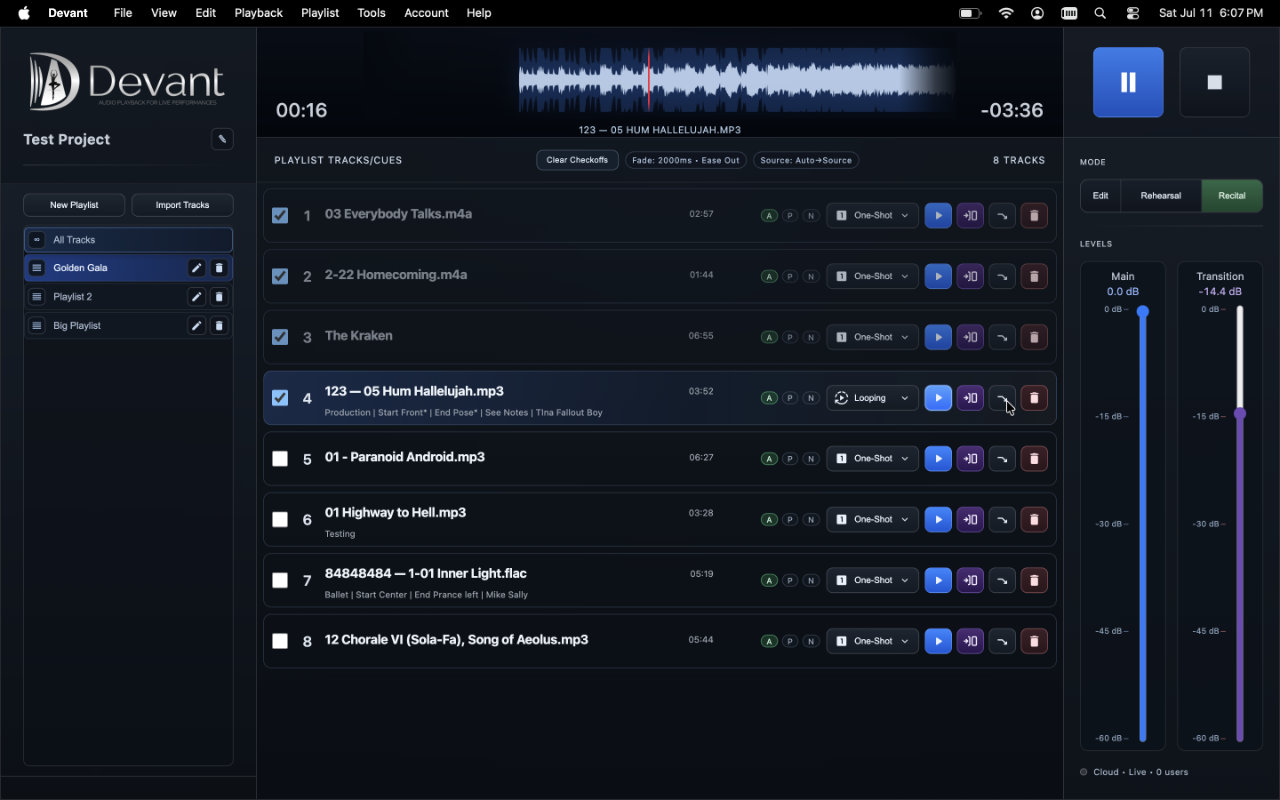
  • Analyze source audio and see readiness information before rehearsal or recital.
  • Prepare and normalize supported tracks without changing the original source file.
  • Keep cue notes, metadata, and per-track playback choices beside the running order.
Learn about preparing audio
Devant Recital mode with the focused live running order, playback controls, and recital checkoffs
Recital mode keeps the active running order and live playback controls in view.

Operator Control

Deterministic playback in cue-critical moments

  • Play, stop, and progression behavior designed to match live expectations
  • Per-track playback behavior for routine-specific control
  • Track notes and cue context where operators need it
  • Local-first playback that does not depend on a cloud round trip during an event
  • Clear handoff between rehearsal and recital operation

Backstage Clarity

More information with less booth interruption

  • Read-only now/next visibility through Cloud or Local Offline Only hosting
  • Live status view built for staff, chaperones, teachers, and directors
  • Shared timing context that cuts repeat "where are we?" questions
  • Booth controls stay private while backstage stays informed

Rehearsal mode

Teach each section in the same workspace that will run the recital.

Rehearsal mode gives instructors a focused way to teach, repeat, and refine a section without turning practice into a live-show run.
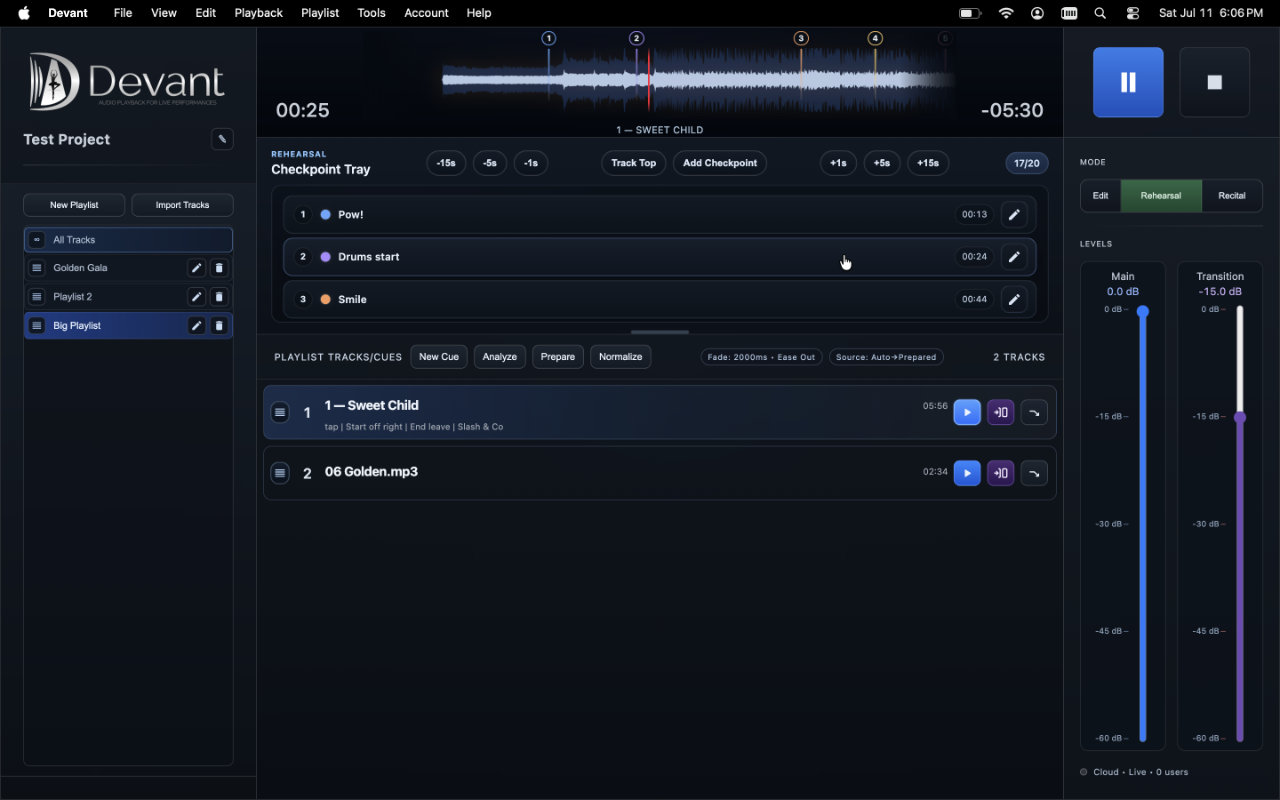
  • Start from the top of a track or a named checkpoint for an entrance, transition, or section to revisit.
  • Use the waveform and checkpoint tray to review timing and return to the right place quickly.
  • Keep automatic progression out of rehearsal so instructors can pause, give feedback, and choose when to move on.
Learn about Rehearsal mode
Devant Rehearsal mode showing the waveform, checkpoint tray, and rehearsal controls
Start where the class needs to practice, then return to the section as often as needed.

Track-level control

Set the behavior and context for every routine.

A running order is more useful when every track carries the playback behavior and cue information the booth actually needs.
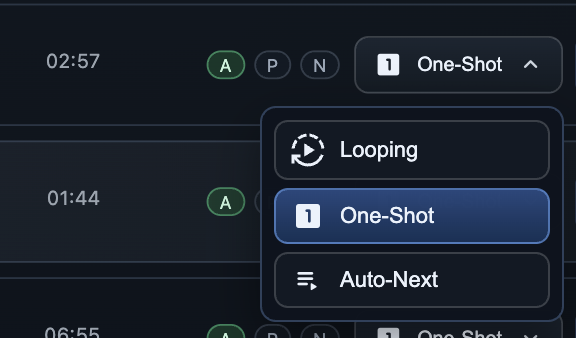
Devant track playback menu showing looping, one-shot, and auto-next choices

Playback options

Choose what happens after the music ends.

Set each routine to one-shot, loop, or auto-next. Operators can use normal or transition playback when the moment calls for a different level and handoff.

Explore track playback options
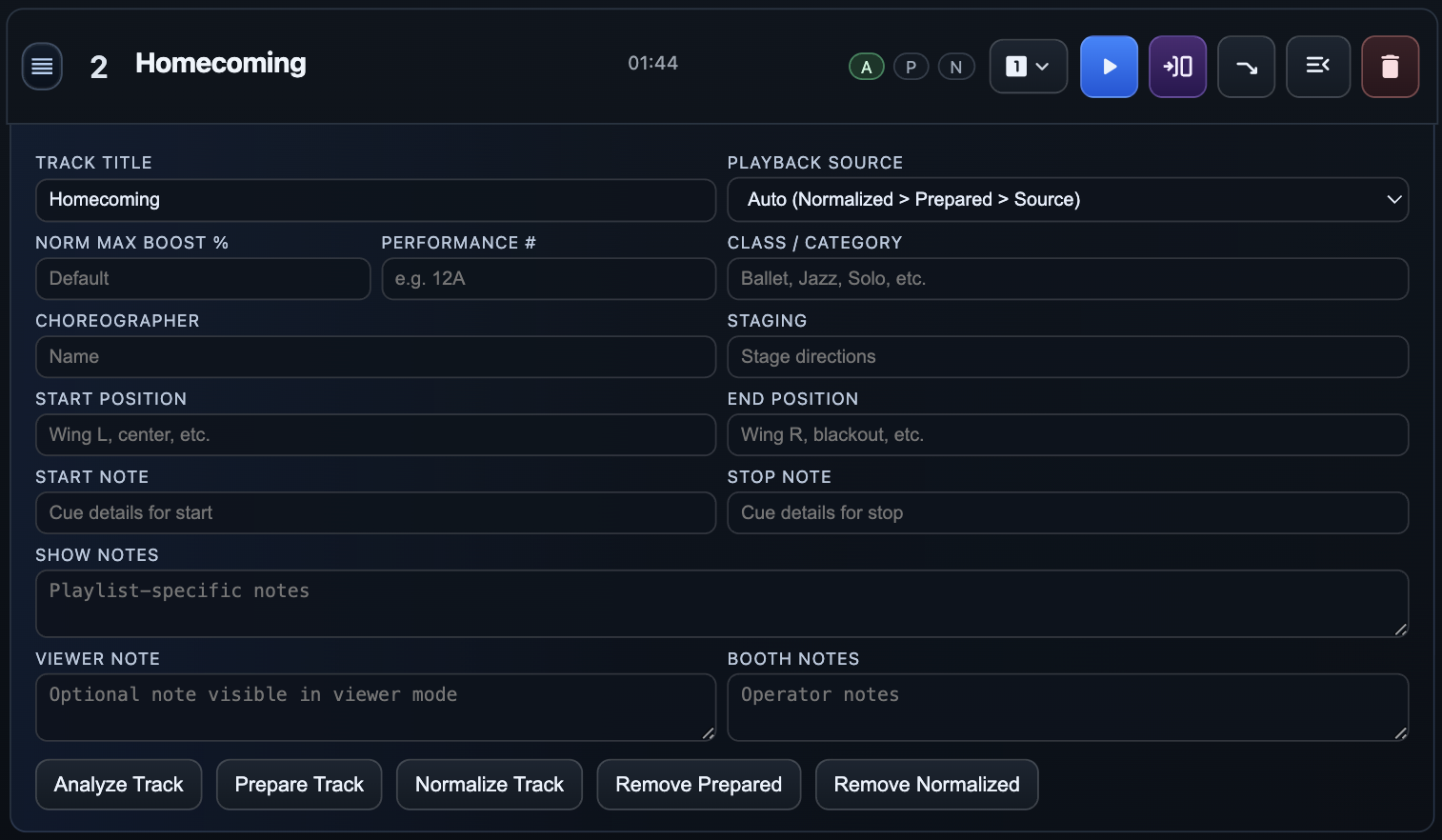
Track notes and metadata

Keep the details next to the routine.

Store performance numbers, class and choreographer details, staging notes, and booth or viewer notes beside the track instead of scattering them across separate documents.

Learn about track notes and metadata

Simple Setup

Playback-first setup for show-day reliability.

Connect your playback laptop and load the active recital playlist
Run pre-show checks before house open to confirm show readiness
Verify track behavior settings for one-shot, loop, and auto-next use cases
Confirm venue output and expected playback progression with a booth test pass
Share read-only viewer access so backstage can follow without booth interruption
Choose Cloud Viewer when internet is available, or Local Offline Viewer for a venue-local setup

Backstage clarity

Let the room follow the show without interrupting the booth.

The read-only Backstage Viewer gives staff and chaperones a clear view of what is playing, what is next, and where the show is headed.
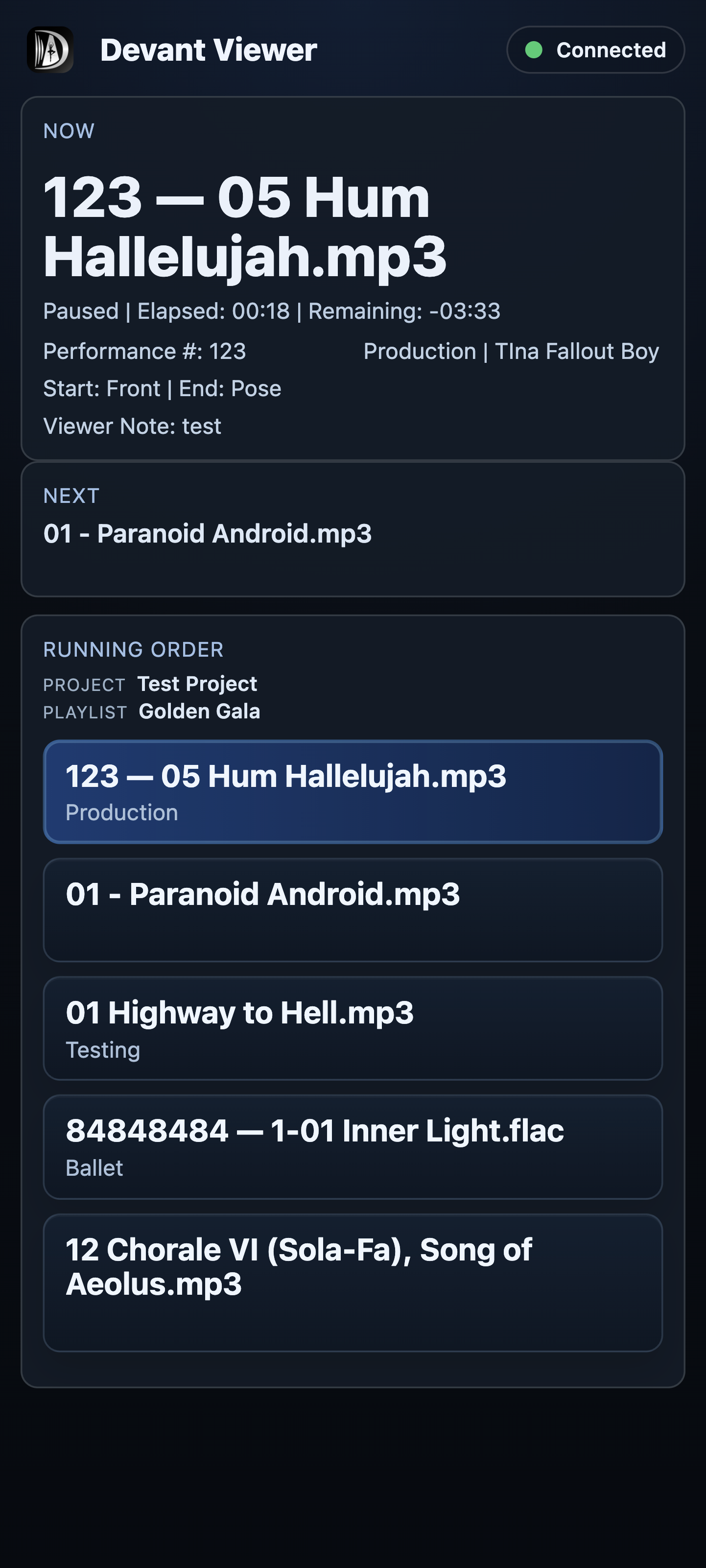
  • Share a protected cloud room by link, room code, and optional PIN.
  • Use the Local Offline Viewer when an event needs to stay on its own network.
  • Keep playback control in the booth while the rest of the team stays informed.
Explore the Backstage Viewer
Devant Viewer signage display showing the current routine, next routine, clock, and running order
Signage view
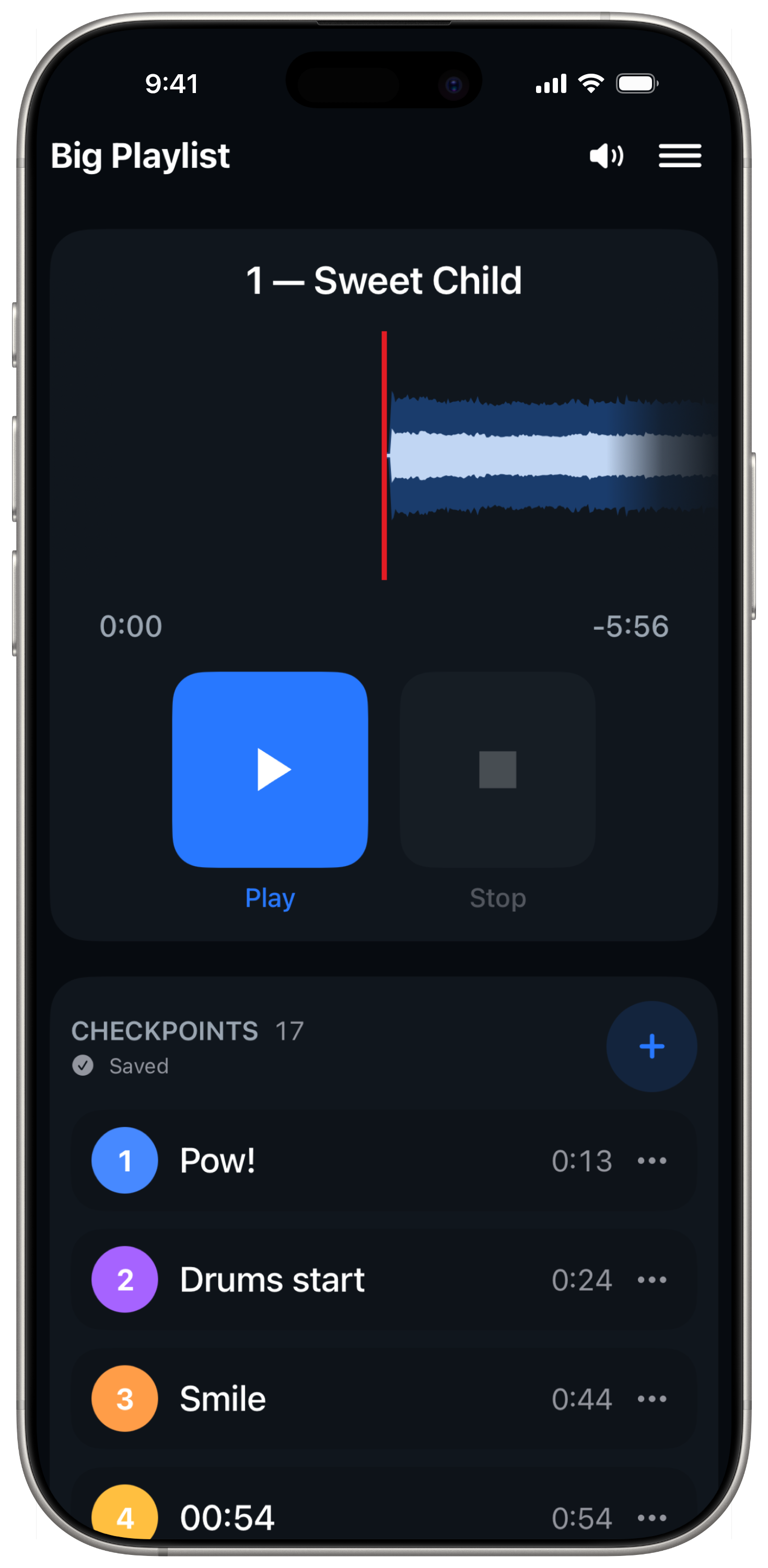
Devant Backstage Viewer showing current, next, and the running order on a mobile device
Mobile view

Private Alpha

Request Alpha access.

We are onboarding a limited number of recital teams while we continue validating the release. Tell us about your organization and we will follow up by email.

Submitting a request does not create an account or guarantee an invitation.